Resident requests
Let residents raise service requests and follow their progress through the browser app.
 Your Residenceby YAMAR
Residence OS / 03
Bring resident requests, reception, maintenance, housekeeping and amenities together. One connected experience for management, the team and the people who call your property home.
For residential buildings and serviced communities
Download Residence OS proposal (PDF, English) ↓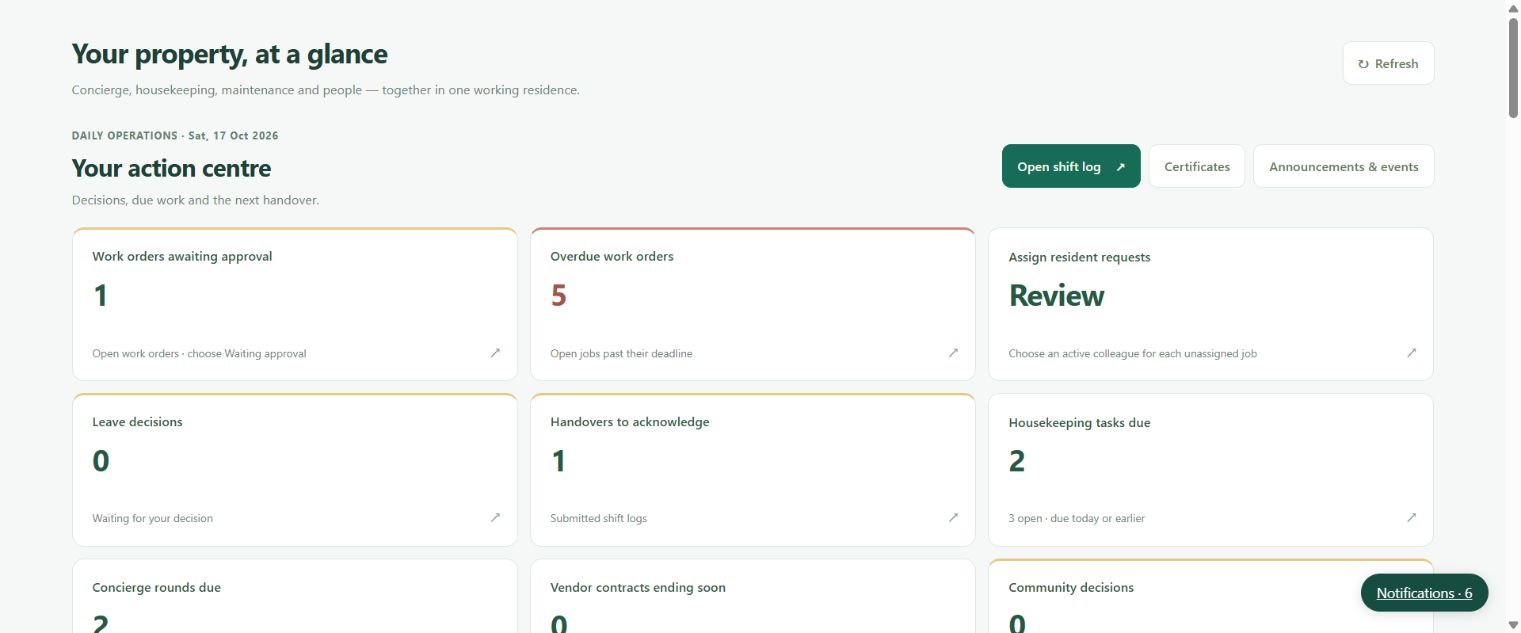
Built for the daily operation
Let residents raise service requests and follow their progress through the browser app.
Keep visitors, deliveries, parking and shift handovers organised at the desk.
Collect the required documents and coordinate review, tasks and handover.
Manage amenity requests, approvals and community information in the same experience.
Connect the resident’s request to the team responsible for resolving it.
Separate browser portals give each role access to the work and records it needs.
Connected from start to finish
Inside the system
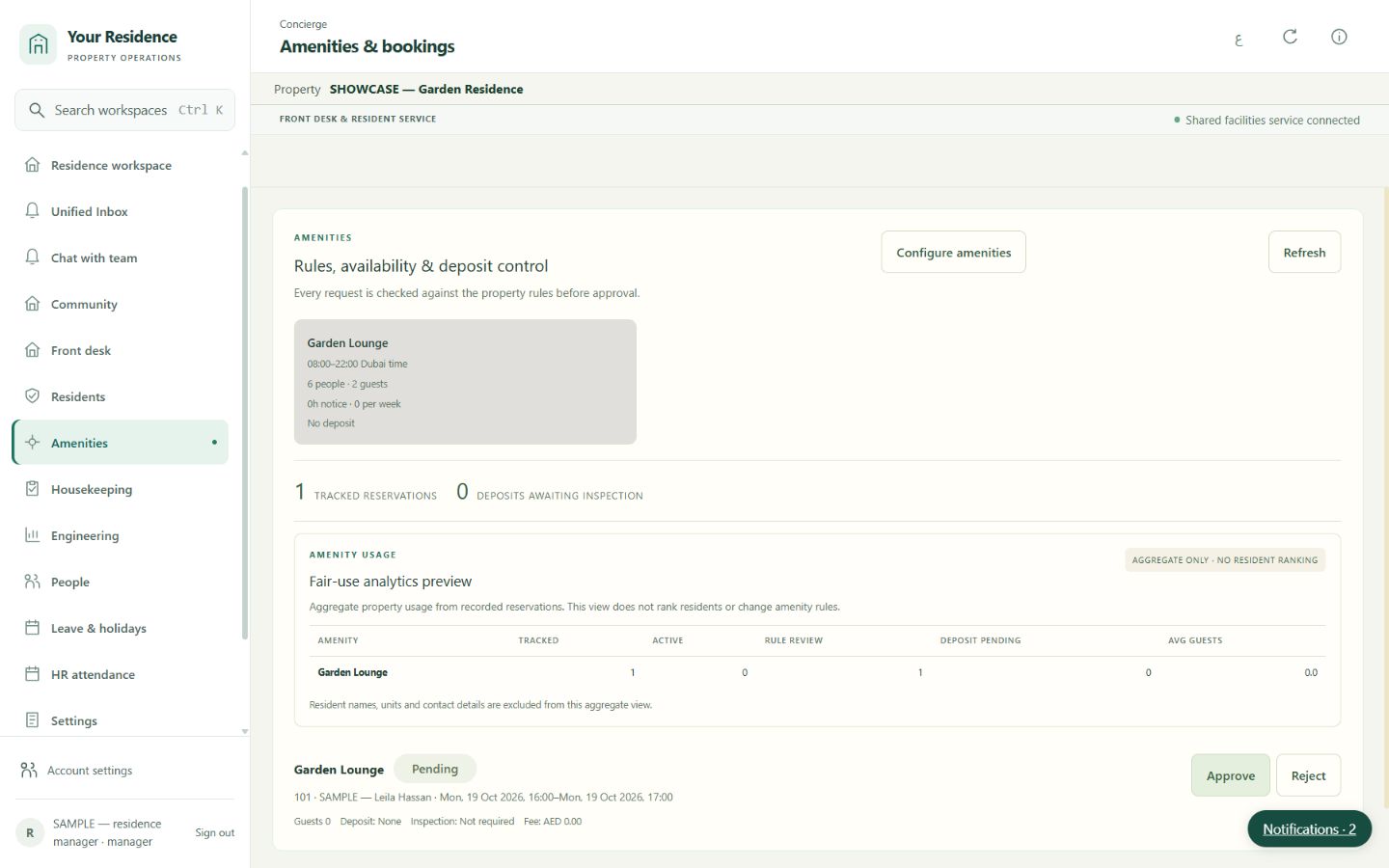
Real screens from yourres.app, captured on 17 October 2026. The names, properties and records shown are synthetic demonstration data.
The system in action
Tour the live Your Residence workspace: review an amenity booking, open a resident conversation in Unified Inbox and find support contacts. Demonstration uses sample records.
Real system footage with English narration and English/Arabic captions. Sample demonstration records; no customer transactions.
Open the dedicated video page ↗
Welcome to Residence OS in Your Residence by YAMAR. Begin with resident services and the requests available in the workspace. Open amenities to review booking requests and their current status. Inspect a request for its facility, requested date, and approval details. Move to the Unified Inbox to see operational conversations together. Open an item to review its message and context before the team follows up. The support page provides YAMAR's contact details, including urgent phone and WhatsApp contact. This walkthrough uses actual hosted screens and synthetic demonstration data. Available features depend on your package, and paid onboarding remains paused.
Download English transcript (TXT) · Download Arabic transcript (TXT)
Current availability
The hosted system uses sample records. The selected package controls the available screens and workflows. Paid customer onboarding remains paused until operational acceptance and invoice setup are complete.
Where included in your package, bookings and external payment records can be entered by staff. OTA synchronisation, card collection, physical access devices and authority submissions are not included as live connected services. Email requires workspace setup and verification; WhatsApp is not connected. HR tools prepare records for review and do not pay salaries.
Agree the package and capacity, complete acceptance, receive the invoice and transfer to the verified bank details supplied by YAMAR. An authorised administrator reconciles receipt against the bank statement before activation. Renewal uses a new annual invoice at the standard rate. There is no automatic card charge or bank-feed verification.
Annual subscription
Resident move-in, reception, maintenance, housekeeping, community, amenities, team records and Unified Inbox.
AED 3,600
First year · billed annually
Annual rate from year two: AED 7,200
Request this plan ↗Download Residence OS proposal (PDF, English) ↓Annual subscription. 2026 offer: 50% off the first 12 months for new subscriptions agreed by 31 December 2026. The annual rate applies from year two.
Prices are in AED, excluding 5% VAT. Standard setup and 24/7 support requests are included. Capacity beyond the stated package limits, data migration and custom integrations are quoted separately.
Paid onboarding is currently paused while launch checks and invoice details are completed. After acceptance, YAMAR issues an annual invoice; payment is by bank transfer and access starts only after an authorised administrator confirms receipt. This page does not collect payments.
Before you start
Your initial company and property setup, package configuration and an introductory team walkthrough. Data migration, custom development and external provider charges are scoped separately.
Yes. Request a guided walkthrough with a scoped demo account. The hosted demo uses sample data; your live rollout follows an agreed scope and acceptance checks.
External booking channels, payment collection, physical locks and authority submissions require separate integrations or recorded external actions. Messaging connections are configured and verified for each workspace.
Support requests are accepted 24/7. For urgent help, call or WhatsApp +971 58 138 7278. Response targets and escalation arrangements are agreed before onboarding; a guaranteed response time is not included in this proposal.
Support and account recovery · Call urgent support · WhatsApp support

Tell us about your buildings, units and team. We will help you choose the right starting package.
Book your walkthrough ↗